









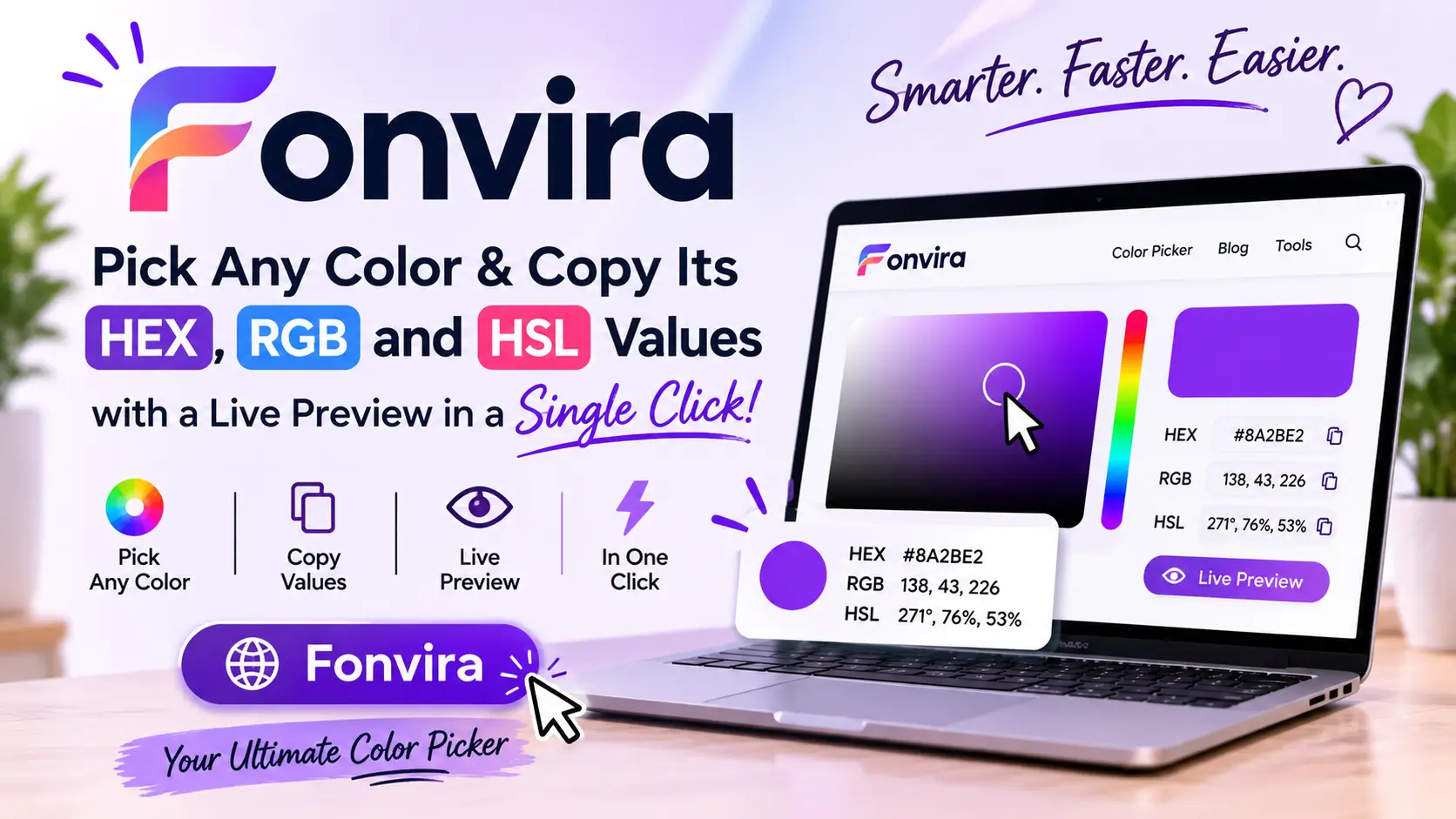
Choosing the right colors is an essential part of creating attractive websites, professional graphics, and engaging digital content. Whether you are designing a website, developing a user interface, creating a brand identity, or working on social media graphics, accurate color selection can make a significant difference. Fonvira is an online color picker and converter that helps users select colors, view their HEX, RGB, and HSL values, and copy the codes they need for their creative projects.
Instead of relying on complicated design software for simple color-related tasks, users can access a browser-based color tool and work with different color formats in one place. Its straightforward approach makes it useful for graphic designers, web developers, students, freelancers, and anyone who regularly works with digital colors.
What Is Fonvira?
Fonvira is an online color picker designed to simplify color selection and conversion. It allows users to work with digital colors and view their corresponding values in commonly used formats, including HEX, RGB, and HSL.
These formats are widely used in website development, graphic design, branding, and digital media. However, switching between them or manually calculating color values can interrupt a creative workflow.
Fonvira brings these basic functions together in a single interface. Users can select a color, view its numerical representation, and copy the required code for use in another application.
The platform is particularly relevant for people who need a quick color utility rather than a complete graphic design application.
How Does Fonvira Work?
Using an online color picker does not require advanced technical knowledge. Fonvira follows a simple process that helps users identify and reuse the colors they need.
1. Select a Color
The first step is choosing a shade through the available color selection interface. Users can also enter an existing HEX value when they already know which color they want to use.
This is helpful when working with established brand colors or trying to reproduce a specific shade in a design.
2. View Different Color Formats
After selecting a color, users can view its corresponding HEX, RGB, and HSL values. These formats represent the same color in different ways, making it easier to work across design applications and development environments.
A live color preview also helps users see the selected shade rather than relying only on numerical codes.
3. Copy the Required Color Code
Once the desired shade has been selected, users can copy the relevant value and paste it into their project.
For example, a web developer can copy a HEX value into a CSS stylesheet, while another user may need RGB values for a digital graphics project.
This process helps reduce manual work and makes everyday color conversion more convenient.
Understanding HEX, RGB, and HSL Color Formats
To use Fonvira effectively, it helps to understand the three color formats it supports. Although each format represents the same visual colors, they serve different purposes in digital design.
What Is a HEX Color Code?
HEX stands for hexadecimal. It represents colors through a combination of six characters, generally written after a hash symbol.
For example:
#2563EB
This code represents a shade of blue. HEX values are widely used in website development, CSS, branding, and graphic design applications.
One reason designers prefer this format is its compact structure. Instead of entering separate numerical values for red, green, and blue, they can use one code to identify a specific color.
A color picker such as Fonvira makes it easier to obtain HEX values without manually calculating them.
What Is RGB?
RGB stands for Red, Green, and Blue. It represents colors through three numerical values that determine the intensity of each primary light color.
For example:
rgb(37, 99, 235)
Each value generally ranges from 0 to 255. Different combinations of these values produce a wide range of colors on digital displays.
RGB is useful in programming, digital graphics, and applications where developers need to adjust individual color channels.
It can also be extended with an alpha value to control transparency. For example, rgba(37, 99, 235, 0.5) represents the same blue with 50% opacity.
What Is HSL?
HSL stands for Hue, Saturation, and Lightness. It describes colors using three characteristics that can be more intuitive when making visual adjustments.
For example:
hsl(222, 83%, 53%)
Each component has a specific purpose:
- Hue: Represents the basic color and is measured in degrees around a color wheel.
- Saturation: Determines how intense or muted the color appears.
- Lightness: Controls how light or dark the selected shade looks.
HSL is particularly useful when creating lighter or darker variations of an existing color without changing its overall color family.
By providing different color representations, Fonvira helps users choose the format that best fits their projects.
Key Features of Fonvira
A useful online tool does not need dozens of complicated functions. A focused set of features can make a platform more practical for everyday tasks.
Fonvira focuses on simplifying color selection, displaying color information, and making the results easy to reuse.
Instant Color Conversion
Designers and developers frequently need to check color values while working on websites, graphics, buttons, backgrounds, and other interface elements.
Fonvira helps simplify this process by displaying corresponding color information as users work. This reduces the need for separate conversion tools or manual calculations.
Live Color Preview
Numerical color codes are useful, but seeing the actual shade makes selection easier.
A live preview allows users to identify the selected color while checking its different formats. This can be helpful when choosing background colors, creating visual elements, or comparing shades for a branding project.
One-Click Copying
Manually copying color codes can introduce small mistakes, especially when working with multiple shades.
Fonvira’s copying functionality makes it easier to transfer the required color value into another application. This saves time and supports a smoother design workflow.
Free Browser-Based Access
Another advantage of an online color picker is convenience. Users can access a browser-based tool without installing dedicated design software for simple color-related tasks.
Fonvira is positioned as a free utility that does not require users to create an account for its core functionality. This can be particularly useful for students, beginners, and freelancers who occasionally need color conversions.
Simple Interface
A straightforward interface makes a tool easier to use, particularly for people who are not experienced with graphic design or programming.
Instead of navigating complicated menus, users can focus on selecting a shade and obtaining the required values.
Who Can Benefit from Using Fonvira?
Color selection is relevant to several types of digital work. Fonvira can be useful for different users depending on their projects and experience.
Graphic Designers
Graphic designers regularly work with color combinations when creating logos, social media graphics, advertisements, presentations, and other visual materials.
Using accurate color values helps maintain consistency across different designs. Fonvira can make it easier to identify and reuse shades when moving between creative applications.
Web Developers
Web developers frequently use HEX and RGB values when building websites and interactive interfaces.
A developer might need a specific color for a navigation bar, button, background, or text element. Fonvira can help retrieve the required value without manually converting between formats.
UI and UX Designers
User interface designers use colors to create visually consistent digital experiences. They need to consider backgrounds, buttons, text, borders, notifications, and interactive elements.
Fonvira can support the color selection process by providing different representations of the same shade.
Students and Beginners
Students learning graphic design, web development, or digital media may initially find color formats confusing.
An accessible color converter can help them understand how HEX, RGB, and HSL relate to each other. It also provides a practical way to experiment with different shades while learning the fundamentals of digital design.
Content Creators and Digital Marketers
Content creators and digital marketers often work with branded colors across social media posts, banners, advertisements, and promotional materials.
Maintaining consistent colors helps create a recognizable visual identity. Fonvira can assist with identifying exact color values so they can be reused across different designs.
How to Use Fonvira for Website and Graphic Design
Understanding a tool’s features is only part of using it effectively. Applying those features to real projects can make color selection more productive.
Creating a Consistent Brand Color Palette
A recognizable brand often uses a limited collection of colors across its website, logo, social media profiles, and marketing materials.
Once a designer selects the required shades, Fonvira can help retrieve their HEX, RGB, and HSL values. Saving these codes in a brand document makes it easier to maintain consistency, especially when multiple people work on the same project.
Choosing Website Background Colors
Background colors influence how a website looks and how easily visitors can read its content.
Designers can explore different shades and retrieve their exact values before applying them to a website. Softer background colors can also help separate different sections and create a more organized layout.
Designing Buttons and Interactive Elements
Buttons should stand out while remaining consistent with the overall design.
A developer can use HEX values for default button colors and HSL values to create lighter or darker variations for hover and active states.
This makes it easier to establish a consistent visual system across a website.
Preparing Social Media Graphics
Social media designs often need to follow a particular brand identity. Using consistent colors across posts, stories, and promotional banners can make a profile look more professional.
Fonvira can help creators identify the exact shades used in their templates and reuse those values in future designs.
Why Color Contrast Matters in Digital Design
Selecting attractive colors is important, but readability should never be ignored. A website can have a beautiful color palette and still provide a poor experience if its text is difficult to read.
For example, light grey text on a white background may look subtle in a design preview but become difficult to read on a mobile screen.
The Web Content Accessibility Guidelines provide contrast recommendations to make digital content more accessible. For normal-sized text, the commonly recommended minimum contrast ratio is 4.5:1. For large text, the minimum is 3:1 under the relevant WCAG criteria.
Designers should check the contrast between text and background colors before publishing a website or digital design. Selecting a color through a picker does not automatically guarantee that a combination meets accessibility requirements.
Is Fonvira Worth Using?
Fonvira can be a practical option for people who regularly need to select colors and convert between common digital formats.
Its main advantage is simplicity. Users can work with a color picker, view multiple color representations, and copy the required values without navigating complicated design software.
Its browser-based approach is also convenient for students, freelancers, and beginners who do not need a complete creative application for occasional color-related tasks.
However, it is important to understand the platform’s purpose. Fonvira is a focused color utility, not a complete graphic design suite. It does not replace professional software for creating illustrations, editing photographs, designing advanced layouts, or managing complete brand identities.
It is most useful when a project requires quick and accurate color selection rather than extensive creative editing.
Frequently Asked Questions About Fonvira
1. What is Fonvira used for?
Fonvira is an online color picker and converter used to select digital colors and obtain their HEX, RGB, and HSL values. These values can be used in website stylesheets, design applications, and other compatible projects.
2. Is Fonvira free to use?
Fonvira is presented as a free online color utility. Its core color selection and conversion functionality is designed to be accessible without mandatory registration.
3. Does Fonvira support HEX, RGB, and HSL?
Yes. The platform provides these three color formats, allowing users to choose the representation required for their design or development projects.
4. Can beginners use Fonvira?
Yes. Its straightforward approach makes it suitable for people with limited technical experience. Beginners can select colors, view their corresponding values, and learn how different color formats work.
5. Is Fonvira useful for web development?
Yes. Developers can use color values for website backgrounds, buttons, text, borders, and other interface elements. HEX and RGB are particularly common in web development.
6. Does Fonvira require an account?
Fonvira’s core color utility is designed to be accessible without requiring users to create an account.
7. Which color format should I use: HEX, RGB, or HSL?
HEX is commonly used in CSS and design tools, RGB is useful in programming and transparency-related work, and HSL is convenient for adjusting hue, saturation, and lightness. The best option depends on your project’s requirements.
8. Can Fonvira help maintain brand color consistency?
Yes. Users can retrieve color values and reuse them across websites, social media graphics, advertisements, and other branding materials.
Conclusion
Fonvira offers a straightforward way to select digital colors and convert them into HEX, RGB, and HSL formats without relying on complicated design software. Its color selection functionality, live preview, convenient copying, and browser-based access make it a useful utility for graphic designers, web developers, students, and digital creators. Although it does not replace advanced creative applications or dedicated accessibility testing tools, it can simplify everyday color-related tasks and help users maintain consistency across digital projects. For anyone looking for a simple online color picker, Fonvira is worth exploring.
For More Visits: NycMagazines