










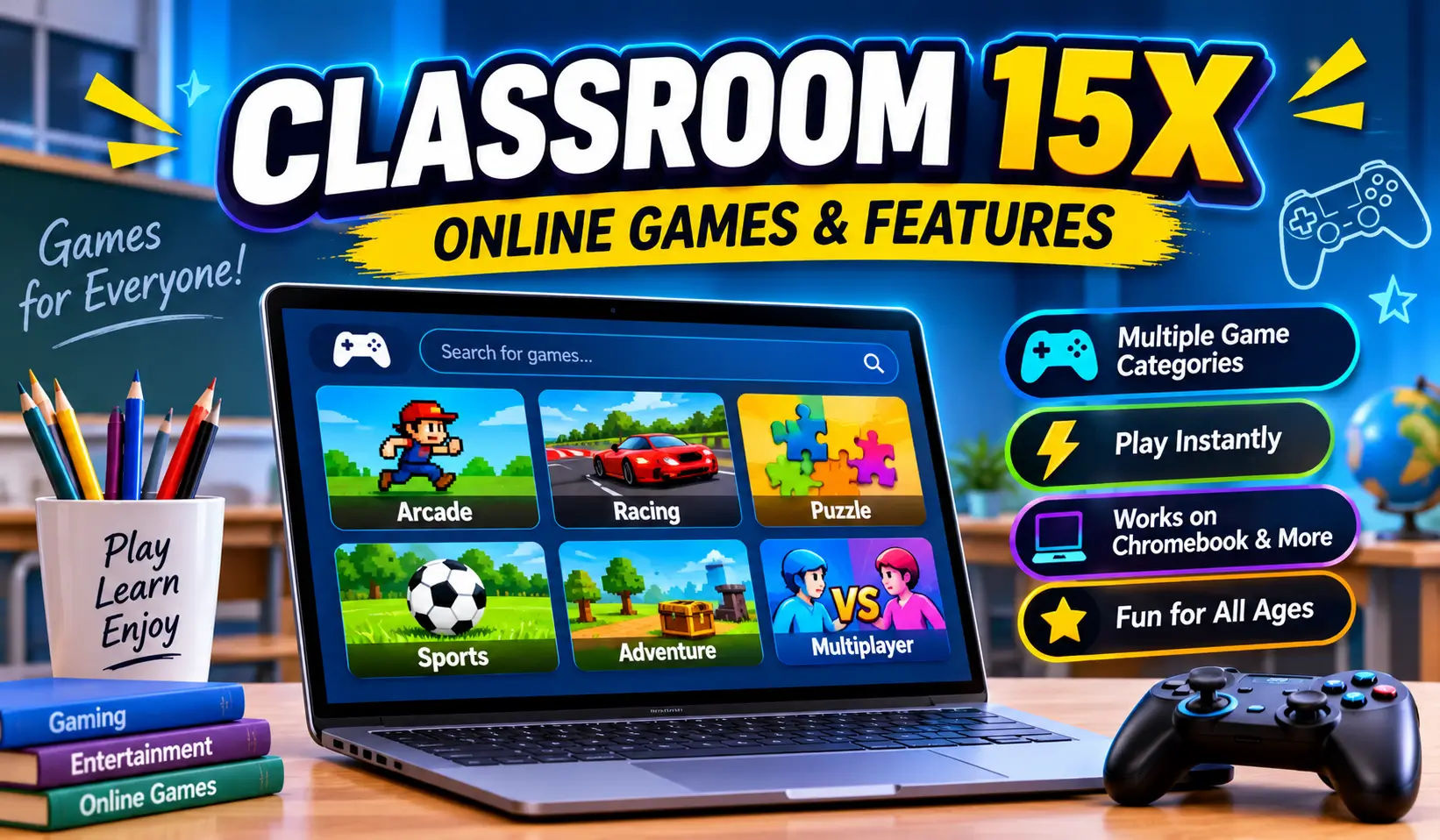
Classroom 15X is a name commonly associated with online gaming websites that provide free browser-based games, particularly for students using school computers and Chromebooks. These websites allow visitors to explore different gaming categories and play selected titles directly through a web browser without necessarily downloading or installing additional software. Its simple format, quick access, and variety of games have helped the name attract attention among people searching for unblocked online games.
However, Classroom 15X can be confusing because the name is used by multiple websites and online pages. Not every website using this name offers the same games, features, or browsing experience. Some pages describe it as a gaming destination, while others associate it with flexible classroom environments and modern educational ideas. Understanding these differences is important before deciding what the name actually represents.
This guide explores Classroom 15X, its gaming features, popular game categories, device compatibility, potential benefits, limitations, and safety considerations.
What Is Classroom 15X?
Classroom 15X is primarily associated with browser-based gaming portals that collect different online games in one place. Instead of requiring users to purchase or install individual games, these websites provide a collection of titles that visitors can access through their browsers.
The platform name is particularly popular in searches involving school Chromebooks and unblocked games. Students often look for lightweight browser games that can run on devices with limited storage or restricted installation permissions.
Most websites using the Classroom 15X name focus on convenience. Visitors can browse available games, select a title, and start playing if the website and the game are accessible on their device.
It is important to understand that Classroom 15X is not established as one officially recognized company or educational platform. Several independent websites use similar names, and their content and website policies can differ.
How Does Classroom 15X Work?
The general experience associated with Classroom 15X is relatively straightforward. A visitor opens a website, explores its available game collection, and selects a title to play.
Many browser-game portals use HTML5 technology, which allows games to operate within modern browsers. This removes the need for traditional software installation in many cases.
The typical process involves the following steps:
- Open the particular Classroom 15X website in a supported browser.
- Browse the available game categories or featured titles.
- Select a game that interests you.
- Allow the game to load within the browser.
- Follow the on-screen instructions to begin playing.
The exact experience depends on the website being visited. Some versions may provide search options, category filters, featured games, or additional navigation features. Others may have a simpler layout with a basic collection of game links.
Users should also remember that browser-based access does not guarantee that every game will work on every device or network.
Popular Game Categories on Classroom 15X
One reason browser gaming websites attract visitors is the variety of available entertainment. Different categories offer different gameplay experiences, making it easier for users to find something that matches their interests.
Although the available collection varies between websites, several common gaming categories are associated with Classroom 15X.
1. Arcade Games
Arcade games are popular because they usually feature simple controls, quick challenges, and straightforward objectives. Players may need to avoid obstacles, collect points, complete levels, or achieve the highest possible score.
These games are suitable for people who prefer short gaming sessions rather than lengthy story-based experiences.
2. Racing Games
Racing games allow players to compete against opponents, navigate different tracks, and improve their driving performance. Some titles focus on traditional car racing, while others introduce unusual vehicles, obstacle courses, or physics-based challenges.
The appeal of racing games comes from their fast-paced gameplay and competitive nature.
3. Puzzle Games
Puzzle games focus on problem-solving, logical thinking, and pattern recognition. Depending on the title, players may need to match objects, solve challenges, arrange shapes, or complete increasingly difficult levels.
Unlike action-oriented games, puzzle titles generally encourage patience and careful decision-making.
4. Sports Games
Sports games bring familiar activities into a digital environment. Depending on the available collection, visitors may find football, basketball, soccer, or other sports-inspired titles.
Some games simulate traditional sporting activities, while others use simplified mechanics designed for quick entertainment.
5. Adventure Games
Adventure games often involve exploring environments, overcoming obstacles, completing missions, and progressing through different stages.
These titles can offer more variety than basic arcade games because players may need to understand the environment and make decisions to advance.
6. Multiplayer Games
Some browser gaming websites include multiplayer or two-player titles. These games allow people to compete or cooperate with another player, depending on the game’s design.
The experience can be particularly engaging when friends want to enjoy a short activity together. However, multiplayer availability and functionality depend on the specific game and website.
Key Features of Classroom 15X
Classroom 15X-style gaming portals are generally designed around accessibility and convenience. Their features may differ, but several characteristics commonly explain their popularity.
Browser-Based Gameplay
One of the main attractions is the ability to play games through a web browser. Users do not necessarily need to install a separate gaming application to access supported titles.
This approach can be useful for people who prefer lightweight entertainment or use devices with limited storage space.
Multiple Gaming Categories
A collection organized into categories makes browsing easier. Instead of searching for individual games across different websites, visitors can explore several genres from one interface.
The actual number of games and available categories depends on the particular website.
Simple Navigation
Many browser-game portals use straightforward layouts. Game thumbnails, category sections, and featured titles help visitors identify available options without navigating complicated menus.
A simple interface can make the experience more accessible to users who are unfamiliar with online gaming platforms.
Compatibility With Different Devices
Browser-based games may work across different devices, including:
- Desktop computers
- Laptop computers
- Chromebooks
- Tablets
- Smartphones
However, compatibility depends on the browser, device specifications, screen size, and individual game requirements. A game that works smoothly on a desktop may not provide the same experience on a mobile device.
Quick Access to Entertainment
Short loading times and straightforward controls are important characteristics of lightweight browser games. Many titles are designed around short rounds, allowing players to enjoy them without committing to extended gaming sessions.
Can You Play Classroom 15X on a Chromebook?
Chromebooks are commonly associated with searches for Classroom 15X because they are widely used in educational environments.
Many Chromebooks support modern browser technologies, including HTML5, which makes them compatible with a broad range of online games.
If a particular Classroom 15X website and its games are compatible with the device, users may be able to access them through Chrome without installing additional software.
However, there are some limitations to consider.
School network restrictions: Schools often use network filters to restrict access to gaming and entertainment websites. A browser game website may remain inaccessible even when the device itself supports it.
Device performance: Older Chromebooks may struggle with games that require more processing power or advanced graphics.
Browser compatibility: Outdated browsers or disabled website features can affect how certain games load.
School policies: Students should follow their institution’s internet-use rules. A website being described as unblocked does not mean that a school has approved it.
Is Classroom 15X an Educational Platform?
The word “classroom” can make Classroom 15X sound like an official educational product. However, there is no established evidence that the name represents a standardized learning system or an officially recognized classroom-management platform.
Some online articles use Classroom 15X to describe modern educational environments involving technology, flexible seating, collaborative activities, and student-centered learning.
These ideas are familiar in contemporary education, but they should not automatically be treated as an official Classroom 15X framework.
It is also important to distinguish Classroom 15X from Google Classroom. Google Classroom is an established educational tool used to organize assignments, manage coursework, communicate with students, and support classroom activities.
A browser-game website using the Classroom 15X name is not automatically connected to Google Classroom, Google Workspace for Education, or any school district.
Benefits of Browser-Based Gaming
Browser-based gaming can provide several advantages when used appropriately. The value of these benefits depends on the games selected and the amount of time spent playing.
Convenient Entertainment
Players can access supported games through a browser without going through a lengthy installation process. This makes browser games convenient for short periods of entertainment.
Variety of Experiences
Different gaming categories provide different types of challenges. Someone interested in logical thinking may prefer puzzles, while another player may enjoy racing or arcade games.
Opportunities for Social Interaction
Multiplayer titles can provide opportunities for friendly competition and cooperation. Playing with friends can make simple games more engaging.
Quick Mental Breaks
Short recreational activities can provide a change of pace between demanding tasks. However, gaming should remain balanced with studying, physical activity, and sufficient rest.
Accessibility
Lightweight browser games may work on devices that cannot support demanding desktop or console games. This makes them an accessible entertainment option for many users.
Is Classroom 15X Safe to Use?
Safety is an important consideration when visiting websites that provide free online games.
Because several independent websites use the Classroom 15X name, there is no single safety assessment that applies to every version. A website’s security, advertising practices, game sources, and privacy policies should be considered separately.
Users should follow several basic precautions.
Check the website address: Make sure the domain is spelled correctly. Similar-looking website names can lead to completely different destinations.
Avoid unexpected downloads: Most browser games should not require suspicious extensions, unknown applications, or unrelated executable files. Leave a website if it demands an unnecessary installation.
Do not share personal information: Avoid entering passwords, school account details, phone numbers, or other private information into unfamiliar gaming websites.
Be careful with advertisements: Free gaming portals may display advertisements. Avoid misleading pop-ups, fake download buttons, and offers that request unnecessary personal details.
Check individual games: Not every game is appropriate for every age group. Some collections may include horror, shooting, or other mature content.
Follow school rules: If a school or institution restricts access to gaming websites, respect those restrictions rather than attempting to bypass them.
These precautions can help users make more informed decisions when exploring unfamiliar browser-game websites.
Classroom 15X vs. Traditional Online Gaming Websites
Classroom 15X-style portals share many characteristics with other browser-based gaming websites. Their main distinction is the school-related branding and the audience associated with searches for unblocked games.
Traditional online gaming websites may focus on a specific genre, provide detailed game reviews, or operate as larger gaming communities. Classroom 15X-style portals generally emphasize quick access to a collection of browser games.
The following differences provide a general comparison.
- Main focus: Classroom 15X-style websites are commonly associated with quick browser gaming, while traditional gaming websites may cover a wider range of gaming content.
- Access: Both may offer browser-based gameplay, although individual game requirements vary.
- Audience: Classroom 15X attracts searches from students and Chromebook users, while traditional gaming websites may target a broader audience.
- Game selection: Both can provide multiple genres, but their collections depend on the website.
- Educational connection: The Classroom 15X name does not establish an official educational connection.
Neither format is automatically better. The right choice depends on the games available, website quality, accessibility, and user preferences.
Common Problems Users May Experience
Although browser gaming is convenient, users can sometimes encounter technical difficulties.
Games Not Loading
A game may fail to load because of browser compatibility issues, temporary server problems, or network restrictions.
Refreshing the page or checking whether the browser is updated may help. Users should avoid downloading unknown software simply to make a game work.
Website Not Opening
A particular Classroom 15X address may be unavailable, blocked, or no longer maintained. Since multiple websites use similar names, visitors should not assume that every version is operated by the same organization.
Slow Gameplay
Limited device resources, background applications, or an unstable internet connection can affect performance.
Closing unnecessary browser tabs and applications may improve the experience.
Unexpected Advertisements
Some free gaming portals rely on advertising. Excessive pop-ups or misleading advertisements can make navigation difficult and create security concerns.
Users should leave pages that repeatedly redirect them or display suspicious download requests.
Classroom 15X and Responsible Gaming
Online games can be enjoyable, but responsible use is essential, particularly for students.
Gaming should not interfere with schoolwork, assignments, sleep, or other important responsibilities. Short sessions during permitted leisure time are generally easier to balance than unrestricted gaming.
Parents and teachers can also help younger users make better choices by discussing age-appropriate content, online privacy, and screen-time habits.
A few practical habits can make gaming more balanced:
- Complete important schoolwork before recreational gaming.
- Set reasonable time limits for gaming sessions.
- Choose games appropriate for your age.
- Avoid websites that request unnecessary personal information.
- Take regular breaks from screens.
- Follow school and family internet-use guidelines.
The purpose of online entertainment should be enjoyment rather than distraction from everyday responsibilities.
Frequently Asked Questions About Classroom 15X
What is Classroom 15X?
Classroom 15X is a name commonly associated with browser-based gaming websites offering free online games in categories such as arcade, racing, puzzles, sports, and adventure.
Is Classroom 15X free?
Websites using the Classroom 15X name commonly advertise free browser games. However, their advertising practices and additional features may vary. Users should check the specific website before using it.
Does Classroom 15X work on Chromebooks?
Some Classroom 15X-style websites offer browser games that may work on Chromebooks. Compatibility depends on the individual game, browser, device, and network restrictions.
Do Classroom 15X games require downloads?
Many games associated with these portals are designed to run directly in a browser. However, users should avoid websites that request suspicious downloads or unnecessary extensions.
Is Classroom 15X connected to Google Classroom?
There is no established connection between Classroom 15X gaming websites and Google Classroom. They are different services with different purposes.
Are all Classroom 15X websites the same?
No. Multiple independent websites use similar names. Their game collections, designs, advertisements, privacy policies, and accessibility can differ.
Can students use Classroom 15X at school?
That depends on the school’s internet-use policy and network settings. Students should only access gaming websites when their institution permits recreational browsing.
Is Classroom 15X suitable for children?
Suitability depends on the particular website, advertisements, and individual games. Parents and guardians should review the content before allowing younger children to use an unfamiliar gaming portal.
Final Thoughts
Classroom 15X is mainly recognized online through its association with free browser-based gaming and unblocked game searches. Its appeal comes from the convenience of accessing different gaming categories without necessarily installing separate applications.
However, the name does not identify one universally established platform. Several independent websites use similar branding, and their features, content, and safety standards may differ. It is also important not to confuse gaming portals with official educational tools or assume that the name represents a verified classroom-learning framework.
For anyone exploring Classroom 15X, checking the exact website address, reviewing its content, avoiding suspicious downloads, and following school internet policies are sensible precautions. When used responsibly, browser-based games can offer convenient entertainment while keeping schoolwork and other daily responsibilities a priority.
For More Visits: NycMagazines.net